One workspace, every feature, only what you're allowed to use
A familiar tile menu for every feature. New tiles show up automatically as we ship them. You only see what your role and grants allow, with no buttons that error and no menu items that lead nowhere.
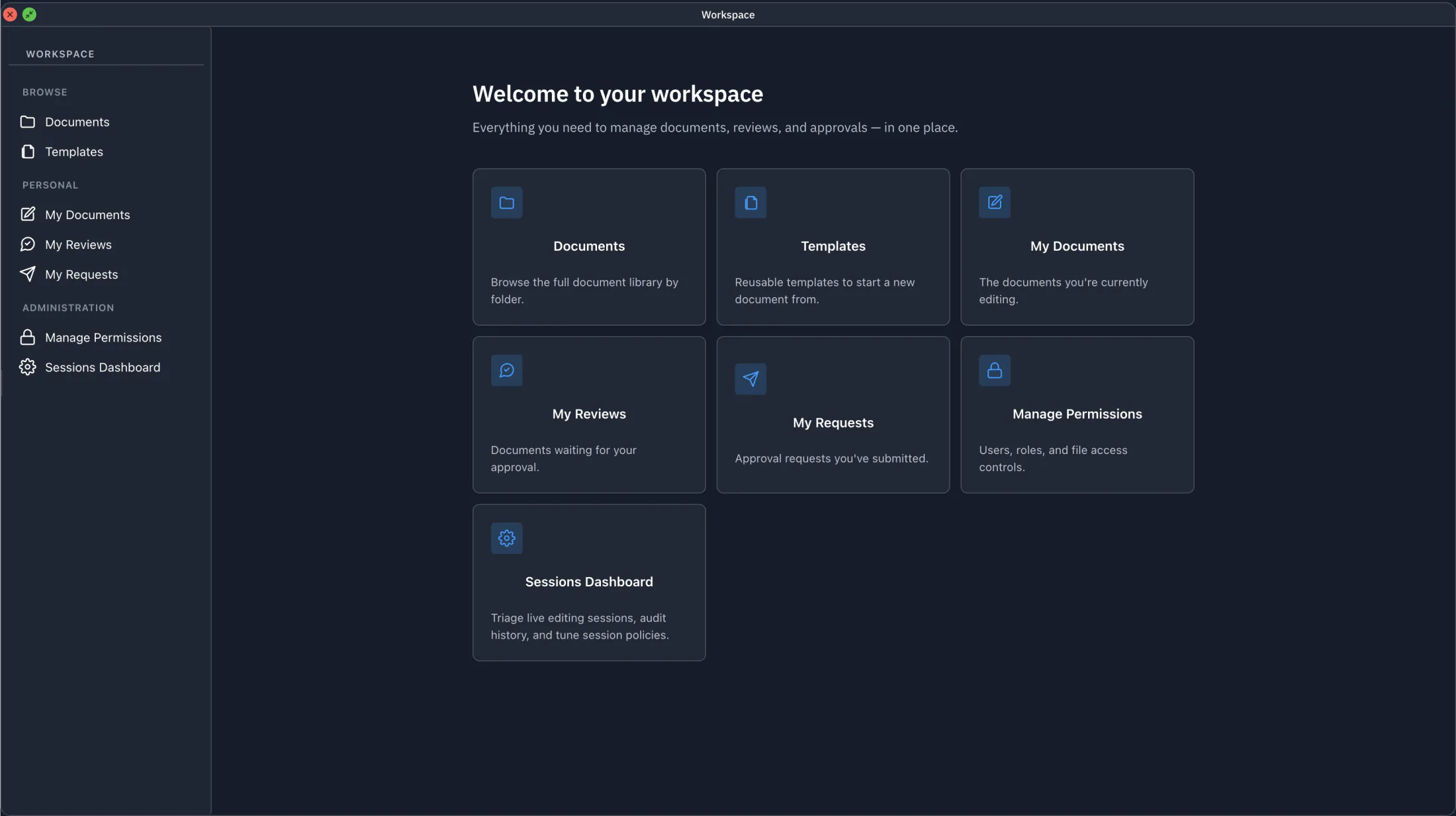
No two seats look the same
Admins see the Administration section. Reviewers see review queues. Viewers see only what they can read. Tiles you can't use simply don't appear, and the toolbar, right-click menus, and context actions follow the same rule. Whatever Juravie shows you, you can do.
- Tiles grouped by area: Browse, Personal, Administration
- Every action you can see, you can do; never a button that errors
- New features show up automatically, with no per-user enablement step
Browse
Personal
Administration
Schematic. Only the tiles your role allows actually render.
Schematic. Replace with chat slash-command screenshot.
A keyboard shortcut for every Workspace tile
Power users live in the chat. Every tile has a matching slash command (/my-reviews, /sessions-dashboard, /templates, /all-documents, /my-access).
- Same surface, faster keyboard path
- Plain-English questions work too: ask "where are my reviews?"
Same product. Same permissions. Same audit trail.
Whichever door you use (Workspace tiles or chat slash commands), you land in the same place, with the same access boundary, and the same audit chain underneath.
Workspace for everyone
A familiar tile menu. Click. Done. Discoverable for new users, low-friction for casual users, and always shows what's possible without surprises.
- Permission-aware tiles, grouped by area
- Discoverable for new users, low-friction for casual ones
Chat for power users
Slash commands and natural-language questions. Edit documents, search the library, run the AI, without leaving the keyboard.
- Slash commands map 1-to-1 to Workspace tiles
- AI-driven document edits with track changes
Same workspace. Your eyes' choice.
Switch between light and dark at any time. Your preference is remembered per user, and applies everywhere you work, the file manager, the editor, the Sessions Dashboard, the Workspace tiles.
Pick the front door that suits you
Same product underneath. Same permissions. Same audit. Two paths to every feature.