See every change to every document: by whom, when, and why
Open any document and read its entire life: tracked redlines, session lifecycle events, approval decisions, and access changes. One timeline, kept forever.
Every meaningful event — never silently lost
If something changed the document, it's in the timeline. Forever.
Every redline
Each tracked change (by you, by a colleague, or by the AI) is recorded with author and timestamp. Per-line accept and reject actions are recorded too.
Every session event
Started, paused, resumed, handed off, expired, released by an admin: every state transition in the editing lifecycle of this document.
Every approval decision
Submitted, request-changes, rejected, approved, published, with reviewer identity, timestamp, and the comment that went with each decision.
Every access change
When the file was restricted, when grants were added or removed, who did it, and when. Restriction history is part of the file's story.
One click from the file. One drill from the dashboard.
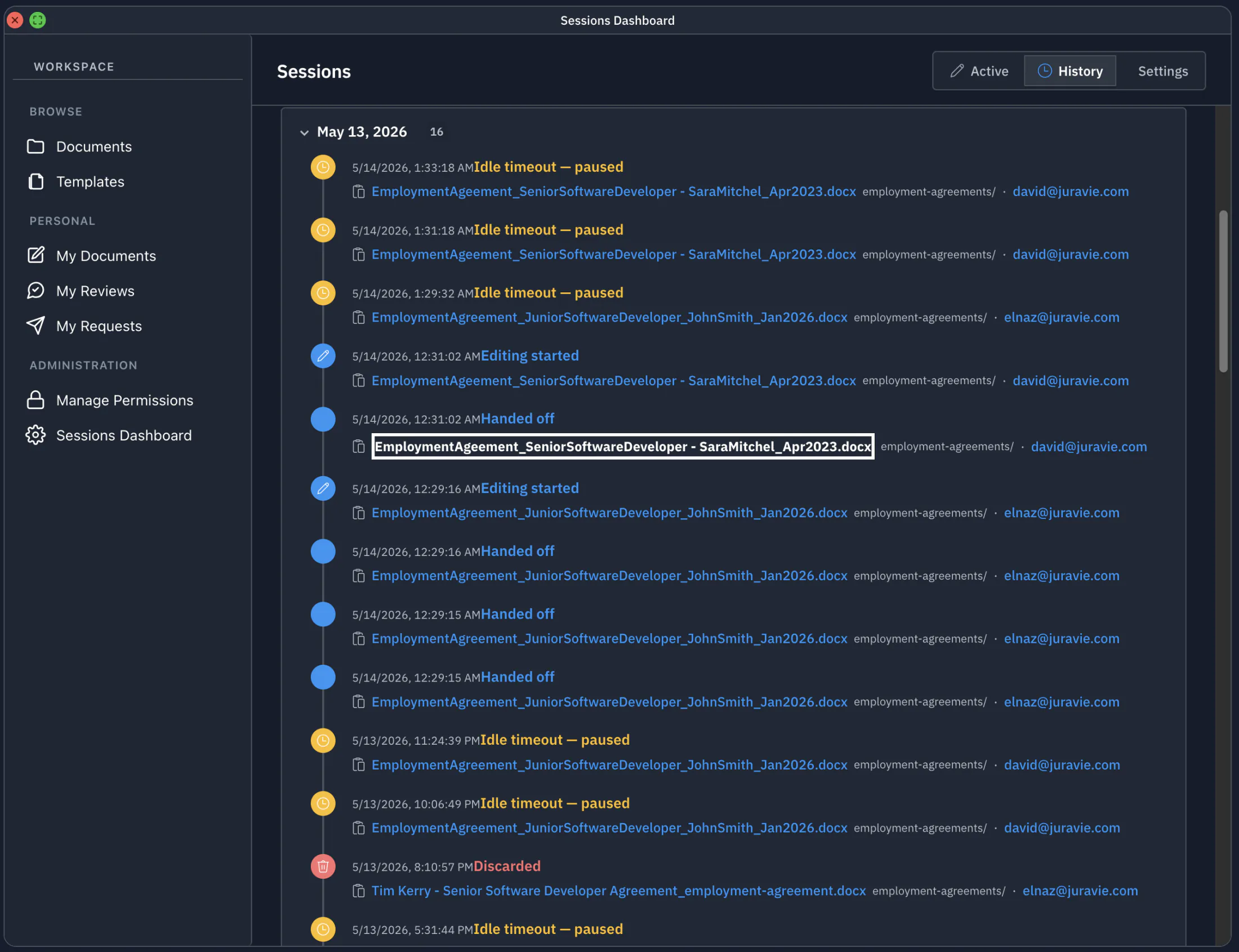
From the file manager, right-click any document and choose History. From the Sessions Dashboard, click the document name in any row and you land on the same timeline. Two paths, one truth.
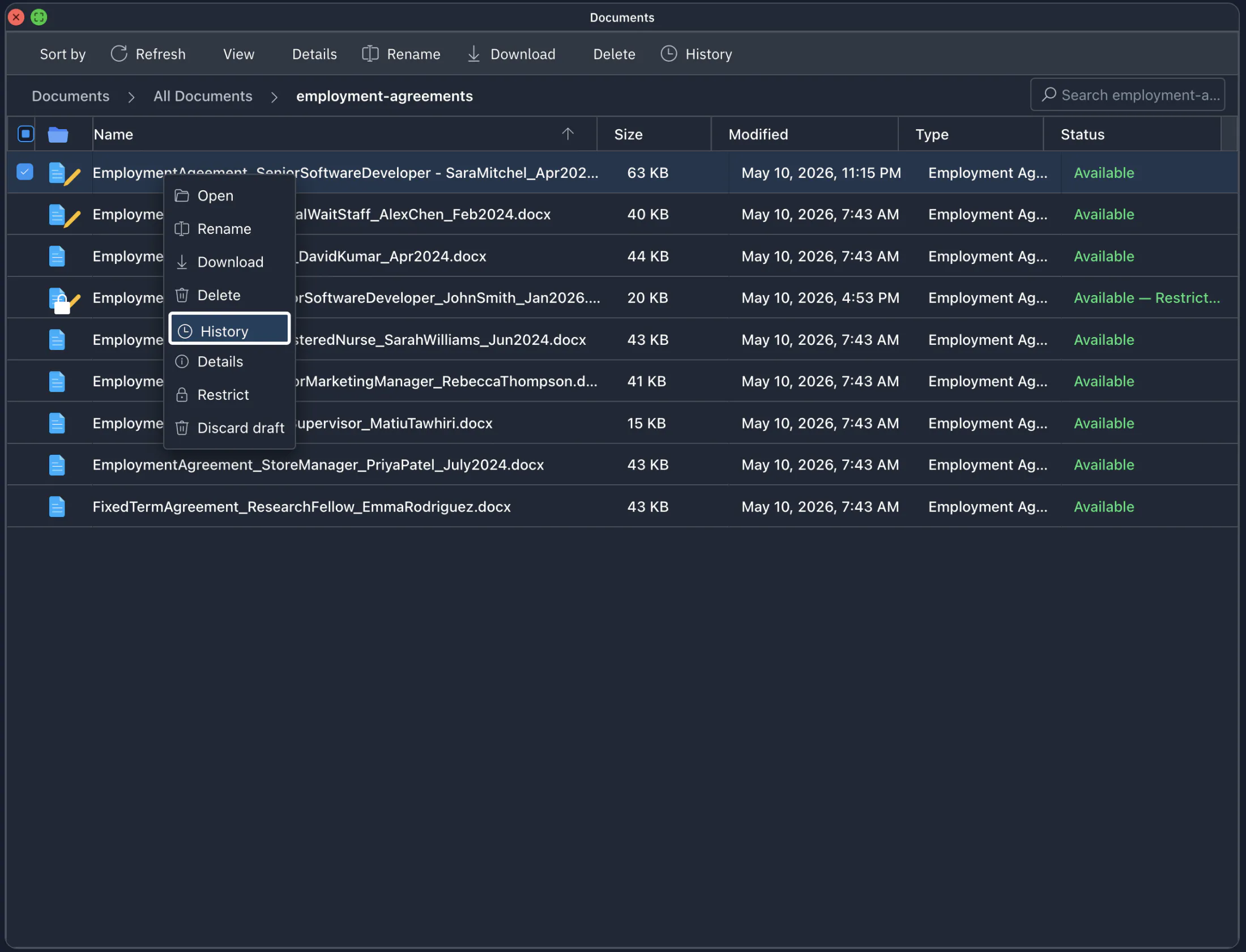
- Right-click → History from the file manager
- Click the document name in any Sessions Dashboard row
- Filter by event type, by author, by period
- Visible to anyone with access to the document, with no extra permission needed
Per-file history is one slice of the timeline
For the firm-wide view — every session for every document for every user, with CSV export — go to the Sessions Dashboard.
Answer "what happened to this contract?" in seconds
No more email-chain archaeology. Open the file, open the history, read the story.